Access control
Users sign in to the Internal Technical Assistant with their company email, using any authentication method enabled for your team: Google, Microsoft, SSO, or an emailed one-time password.
The Internal Technical Assistant integration is created automatically with every Kapa project. Access to a project in the assistant is determined by the Use Internal Chat Assistant project permission:
- Users with the Owner role automatically have permission for all projects where the assistant is enabled.
- Users with Member or User roles can be explicitly granted the permission by an Owner.
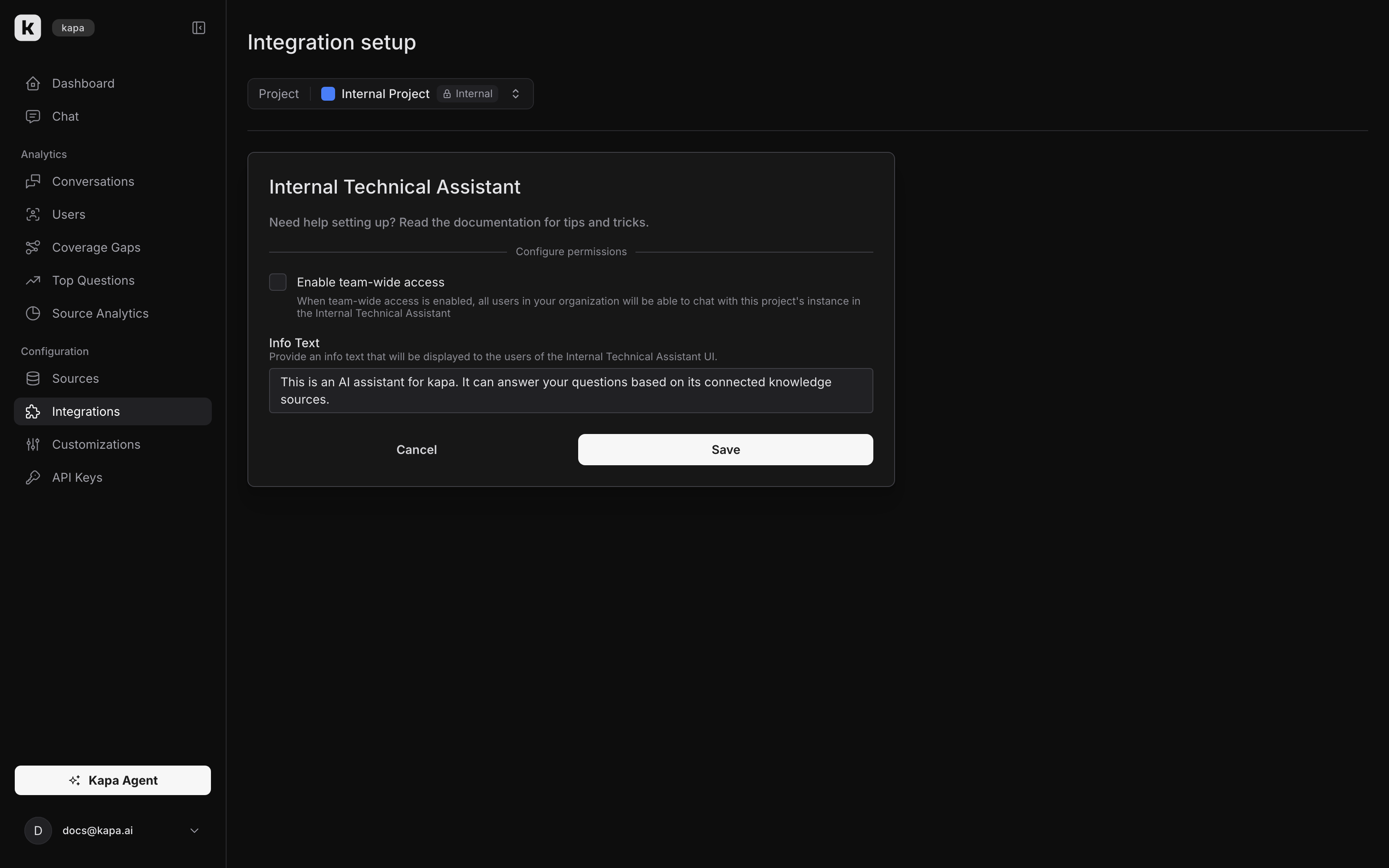
Team-wide access
You can configure a project to be accessible by default to all team members:
- Go to the Kapa platform.
- In the project selector dropdown, select the project you want to configure.
- Go to Integrations and open the integration setup for the Internal Technical Assistant.
- Check the Enable team-wide access option and save.
Automatic user provisioning
When your team has an authentication method with self-signup enabled, anyone signing in with your organization's domain becomes a User in your Kapa team automatically.
Automatic provisioning works hand in hand with team-wide access: when both are enabled, any employee in your organization can access the assistant without individual setup.