Internal Technical Assistant
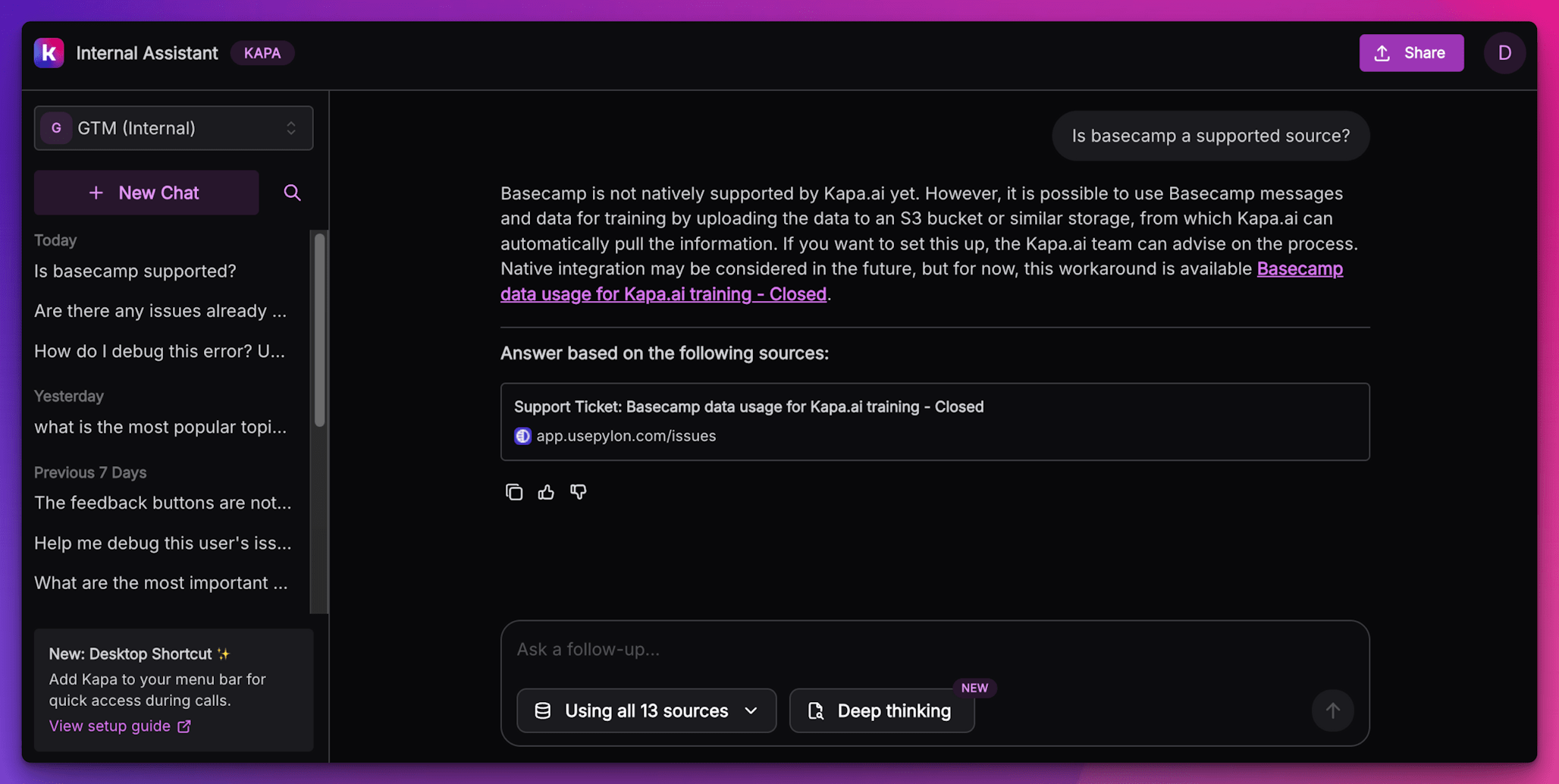
Internal Technical Assistant is the Kapa agent deployed privately for your own team: a chat interface at chat.kapa.ai where employees query internal documentation, processes, and public knowledge in one place, so your support, success, and sales teams answer their own technical questions instantly instead of pulling engineers into every escalation.
It is usually used with Internal projects that contain internal data. Conversations are private, one-to-one, and visible only to the individual user and to users with access to the project on the Kapa platform; if you want internal answers in a shared space instead, deploy the Slack Bot on internal channels.
Get started
The integration comes with every Kapa project by default; the Quickstart takes you from granting your team access to your first answered question.
What it does
In addition to grounded answers with citations, the assistant lets your team:
- Filter sources: select which knowledge sources answer a given question.
- Switch styles: apply a customization's tone and behavior per conversation.
- Attach files: add PDFs, images, or text files as context for a question.
- Share conversations: send colleagues a link to a conversation.
- Use deep thinking mode for complex questions that need a broader look at the knowledge base.
When to use it
- Customer-facing work: support, success, and sales teams answer customers' product questions accurately without escalating to engineering.
- Meeting preparation: brief yourself on features and technical details before a customer call.
- Employee onboarding: new team members find internal processes and documentation on their own.
- Process assistance: guidance through complex internal procedures.
Go deeper
- Quickstart: grant access and ask your first question.
- Using the assistant: source filtering, styles, and file attachments.
- Install as a desktop app: launch it from your dock or taskbar.
- Access control: who can use it and how access is granted.
- FAQ
Answer quality depends on what you index; see writing best practices and troubleshooting and improving answers.